Smart Plugs Explained for Everyday Homes
Smart plugs sit somewhere between gadget and tool. Used well, they quietly trim a few dollars off your bill each month, save you from walking back upstairs to check the iron, and…

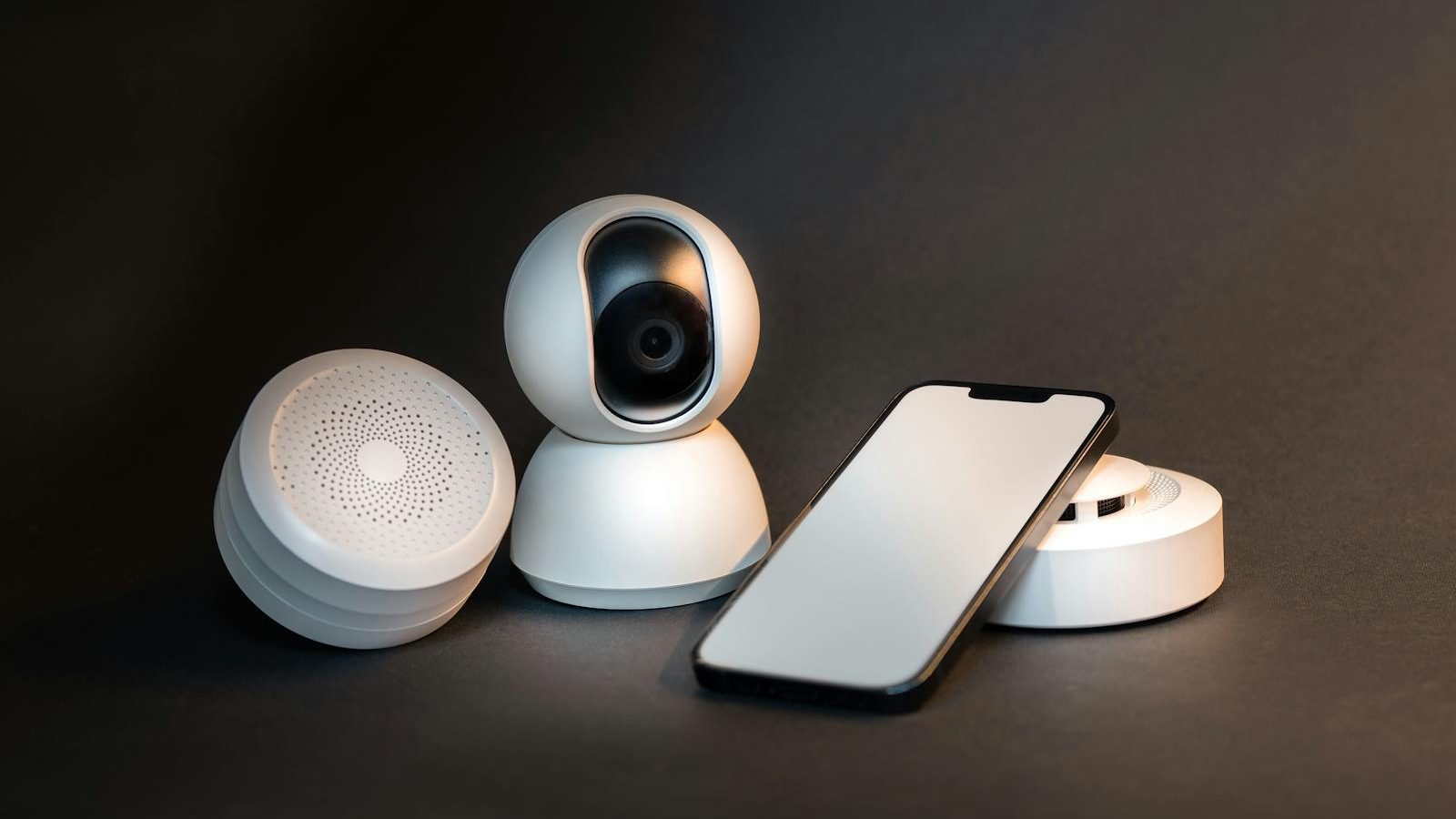
Smart plugs sit somewhere between gadget and tool. Used well, they quietly trim a few dollars off your bill each month, save you from walking back upstairs to check the iron, and tell you which devices are secretly running all day. Used poorly, they collect dust and add Wi-Fi clutter. This guide walks through what they actually do, where they pay off, and what to watch for.
A smart plug is one of the cheapest pieces of home energy equipment you can buy, and also one of the most misunderstood. People either treat them as toys, or they expect them to slash a bill in half. Both views miss the point. A smart plug is a small, well-aimed tool. Pick the right outlet to plug it into, set it up once, and it works quietly in the background for years. Pick the wrong outlet and it sits idle, drawing a watt of standby power, doing nothing useful.
This guide is for the person who has heard about smart plugs, maybe seen them on sale, and wants a clear sense of whether they are worth bothering with before opening the box. No jargon, no brand loyalty, no breathless predictions about the connected home of tomorrow. Just what they do, where they earn their keep, and a few things to plan around.
What a smart plug is, in one paragraph
A smart plug is a small adapter that sits between your wall outlet and whatever you plug into it. On the inside it has a relay that can switch power on and off, a tiny radio for Wi-Fi or another wireless protocol, and usually a small chip that can measure how much electricity is flowing through it. From your phone or a voice assistant, you can flip the relay, set schedules, and read those measurements. The thing it controls does not need to be smart at all. A 1995 lamp, an old space heater, or a dumb coffee maker all become controllable the moment they go through the plug.
The three things they actually do
Most marketing language for smart plugs is a long list of features. In practice, almost everything useful falls into three categories. If a smart plug does these three things reliably, the rest is decoration.
Schedules. This is the workhorse feature, and it is the one that quietly saves the most money over time. You tell the plug to turn on at 6 a.m. and off at 8 a.m., or to switch on after sunset and off at midnight. The plug then does that, every day, forever, without you thinking about it. A bathroom heater that used to run for hours because someone forgot to flip the switch now runs for exactly 90 minutes in the morning. A lamp that used to stay on all night now turns off at bedtime. The savings here are not dramatic per device, usually 1 to 5 dollars a month, but they happen automatically and forever.
Remote control. This is the feature people remember from the advertisement, but it is the least important of the three for energy savings. It is useful when you are already in bed and the porch light is still on, or when you are leaving for a weekend and realize the iron might still be plugged in. Remote control matters mostly as a safety and convenience tool. It does not save money on its own, but it removes the friction that makes people leave things on.
Monitoring. This is the feature most people skip past, and it is often the most quietly useful one. A plug with energy monitoring will tell you exactly how many watts a device is pulling right now, and how many kilowatt-hours it has used over the past day, week, or month. This is how you find out that the old chest freezer in the garage uses 95 dollars a year, that the gaming console pulls 12 watts even when off, or that the dehumidifier you thought was modest actually uses more electricity than your refrigerator. Monitoring turns a vague suspicion into a number, and numbers are what let you make a decision.
What to plug in for the biggest savings (and what’s a waste of time)
The trick with smart plugs is that they only save money on devices that are either running when they should not be, or that benefit from being on a strict schedule. A plug controlling a lamp you already turn off at bedtime is not saving anything. A plug controlling a space heater that someone always forgets about? That can pay for itself in a single winter.
Here are the categories where smart plugs tend to earn their keep:
- Space heaters and electric blankets. Set them to warm a room or bed for the 30 minutes before you need it, then shut off. This alone can save 10 to 25 dollars a month per device in cold months.
- Window air conditioners. Schedule them to cool a bedroom before bed and shut off in the small hours. A window unit pulling 1,000 watts that runs three fewer hours a night saves around 12 to 18 dollars a month at average rates.
- Towel warmers, bathroom heaters, and bathroom radiant panels. These are notorious for being left on. A two-hour daily schedule replaces an all-day accidental run.
- Outdoor lights and holiday lights. Sunrise and sunset schedules mean they only run when they should. Pair this with LED bulbs and you almost never think about it again.
- Coffee makers, slow cookers, and small kitchen appliances. Less about energy savings and more about safety and convenience. Knowing the iron is off from your phone is genuinely valuable.
- That one device in standby. If your monitoring plug shows an entertainment center pulling 30 watts continuously, a scheduled overnight cutoff can save 15 to 25 dollars a year on a single outlet.
And here is where smart plugs are mostly a waste:
- Refrigerators and freezers. Never put these on a smart plug. The risk of accidentally cutting power and spoiling food is not worth the marginal monitoring benefit. If you want to measure your fridge usage, use a temporary plug-in meter for a week, then remove it.
- Modern LED lamps you already turn off. A 9 watt LED bulb running an extra hour a day costs about 40 cents a year. The smart plug uses more standby power than it saves.
- Your TV. Cutting power to a modern TV between sessions is rarely worth it, and many smart TVs lose settings or take a long time to boot. The standby load is usually small.
- Computers and home office gear in active use. Hard cutoffs can corrupt data and damage drives. Use the operating system sleep settings instead.
A useful rule of thumb: a smart plug pays for itself faster when it controls something that draws a lot of power or runs a lot of hours unnecessarily. If you cannot describe in one sentence why a particular outlet would benefit, the plug probably will not earn its keep there.
Wi-Fi vs Zigbee/Matter (without going down a rabbit hole)
Smart plugs come in a few different flavors of wireless. The differences sound technical, but for a home user the practical choice is fairly simple.
Wi-Fi smart plugs connect directly to your home Wi-Fi network. They are the cheapest, often 8 to 15 dollars each, and the easiest to start with because no extra hardware is needed. The trade-off is that every plug becomes another device on your Wi-Fi. Five or six is fine. Twenty plugs plus phones, laptops, TVs, and security cameras can start to crowd a basic router. Wi-Fi plugs also depend on your internet being up. If your connection drops, scheduled actions usually still run, but remote control and voice commands stop until it is back.
Zigbee, Z-Wave, and Thread plugs use a different low-power radio that needs a small hub to translate between the plug and your network. The hub costs 30 to 80 dollars one time, and after that each plug stays off your Wi-Fi. These plugs respond faster, use less power, and form a mesh network that gets stronger as you add more devices. The setup is slightly more involved, but if you plan to add more than five or six smart devices, the hub pays back in stability.
Matter is the newer industry standard meant to make all of this less confusing. Plugs labeled as Matter-compatible should work with Apple, Google, Amazon, and Samsung systems out of the box, without picking a side. Matter is genuinely an improvement and worth looking for on new purchases, but it is still maturing. Read recent reviews for any specific model rather than trusting the logo alone.
For most beginners, two or three Wi-Fi plugs from a reputable brand is the right starting point. If you find yourself liking them and wanting more, that is the moment to consider adding a hub and switching new purchases to Zigbee, Z-Wave, or Thread.
Privacy and reliability gotchas
Smart plugs are simple devices that ask your phone and the internet to do most of the work, which creates a few quiet trade-offs worth understanding before you buy.
Cloud dependency. Many cheap Wi-Fi plugs route their commands through a server owned by the manufacturer. If that company goes out of business or changes its app, your plugs can become useless even though the hardware still works fine. This has happened more than once with bargain brands. The safest path is to pick brands that have been around for at least three or four years, or plugs that support a local-only mode using standards like Matter.
Data collection. A smart plug knows when you turn things on and off, which over time paints a fairly detailed picture of your routine. Most reputable brands collect this only to make the app work, and their privacy policies are reasonable. Cheap unbranded plugs from large online marketplaces sometimes send data to servers in unexpected places. If privacy matters to you, stick with brands you can name, and put the plugs on a guest network segmented from your main devices.
Schedule drift and lockouts. Most of the time, schedules just work. Occasionally a firmware update will reset preferences or temporarily knock plugs offline. Once a quarter, walk around and check that each plug is still doing what you set it to do. Build this into the same routine as the suggestions in our guide on ten low effort habits that cut your electricity bill and it takes about five minutes.
Wattage limits. Every smart plug has a maximum load, usually 10 to 15 amps, often printed in small text on the back. Plugging in a large space heater that draws right up to the limit can cause the plug to run warm or eventually fail. Stay well under the rated maximum, and never daisy-chain a smart plug into a power strip carrying a high-draw device.
How smart plugs fit alongside the rest of your home
Smart plugs are most useful as a small part of a larger picture, not as the picture itself. The biggest single line on most home electricity bills is heating and cooling, and the best way to reduce it is to tune the thermostat itself rather than rely on plug-level workarounds. Our walkthrough on tuning your thermostat for savings covers that in detail, and the savings there will dwarf anything you do with plugs. Use plugs for the secondary devices that fall outside the thermostat: space heaters, dehumidifiers, the heated towel rail, the window unit in the spare room.
The second-biggest line is usually large appliances. Smart plugs do not help much here directly, but the monitoring features can tell you when an old refrigerator or dryer has crossed the line from worth-keeping to worth-replacing. If your monitoring plug shows a device using two or three times what a modern equivalent would, that is real evidence to plan around. Our piece on energy efficient appliances explained walks through what the ratings actually mean and how to weigh the cost of a replacement against the years of inflated bills you would otherwise pay.
Where to start
If you have not used smart plugs before, the easiest first purchase is a single energy-monitoring Wi-Fi plug from a brand you have heard of. Use it as a roving meter for a few weeks. Move it from outlet to outlet around the house and note what each device actually uses. You will almost certainly find two or three surprises: a forgotten appliance pulling more than expected, a standby load you did not know existed, or a heater that runs longer than it needs to. Those discoveries tell you exactly where the next two or three plugs should live, and which outlets do not need one at all.
That is the whole approach in one move. Measure first, automate second, ignore the rest. Smart plugs are not magical, but used with a little care, a small handful of them quietly trim a hundred dollars off a year, remove some daily friction, and give you a clearer picture of where your electricity actually goes.
Frequently asked questions
How much can a few smart plugs realistically save me each year?
A household using four to six well-placed smart plugs usually saves between 60 and 180 dollars a year. Most of that comes from one or two outlets controlling space heaters, window air conditioners, or standby-heavy entertainment setups. Plugs on lamps and decorative outlets contribute very little in dollars, though they add convenience. The actual number depends on your local electricity rate, how many hours the controlled devices used to run unnecessarily, and how strict you are with the schedules.
Are smart plugs safe to use with space heaters?
Yes, as long as you stay well under the wattage limit printed on the plug. Most smart plugs are rated for 10 to 15 amps, and most space heaters draw 12.5 amps at maximum. Pair a 1,500 watt heater with a plug rated for 15 amps, never daisy-chain it through a power strip, and check the plug occasionally for warmth. If the plug feels hot to the touch during use, unplug everything and replace it with a higher-rated model.
Do smart plugs use electricity even when nothing is plugged in?
Yes, but very little. A typical smart plug uses about 0.5 to 1.5 watts continuously to keep its radio listening and stay connected. Over a year, that works out to roughly 50 cents to 1.50 dollars per plug at average electricity rates. The savings from scheduling and standby cutoffs usually swamp this small overhead, but it is the reason a plug on a low-use lamp can actually cost more electricity than it saves.
What happens to my smart plugs if the internet goes out?
Most smart plugs continue to run their existing schedules even when the internet is down, because the schedule is stored on the plug itself. What stops working is remote control from outside the home and voice commands routed through cloud services. Local commands from a phone on the same Wi-Fi network usually still work for many brands. If reliability during outages matters, look for plugs that advertise local control or Matter support.
Should I pick Wi-Fi or wait for Matter-compatible plugs?
For a first purchase of two or three plugs, a Wi-Fi model from a trusted brand is fine and lets you start using them right away. If you expect to grow the system to ten or more devices, or you want longer-term flexibility across Apple, Google, and Amazon, look for plugs labeled Matter-compatible. Matter is still maturing, so read recent reviews of any specific model. Either path works for everyday use.
Can I use smart plugs without a voice assistant or extra hub?
Yes. Wi-Fi smart plugs work fine using just the manufacturer app on your phone, with no voice assistant or hub required. You can set schedules, view energy monitoring data, and trigger devices manually. Voice assistants and hubs add convenience and let you tie plugs into wider routines, but they are optional. Many people use a small set of plugs entirely through the app and never connect them to anything else.
Read next in Home Energy Savings
If this guide was useful, these two neighbouring pieces will fill in the surrounding context:
Sources and further reading
For the underlying data behind the numbers in this guide, and for the standards, incentive programs, and safety rules referenced throughout, see:
Related guides
A Realistic Budget for an Energy-Friendly Home Upgrade
People often ask me what an "energy upgrade" really costs, and the honest answer is that it depends on how much you want to do this year versus over the next five.…
Scenario: Cutting Bills in a Rental Apartment
Renters often feel stuck. You cannot change the windows, the appliances, or the insulation, so the usual advice about home energy savings reads like it was written for someone else. This article…

Five Appliance Mistakes Quietly Running Up Your Bill
Most household appliances are more honest about their energy use than we are about how we treat them. The fridge in the garage, the dishwasher run half-full, the dryer with a clogged…